If you use ChatGPT or Claude heavily, you already know the frustration. Every new conversation starts blank. You re-explain your role, your project, and your preferences, over and over, session after session. Several tools now tackle this directly, but they take very different approaches.
Why native memory is not enough
Both ChatGPT and Claude ship with built-in memory. ChatGPT saves facts you tell it explicitly or that it picks up from conversation. Claude offers memory capabilities that depend on the product and plan being used. These are useful starting points.
But native memory mainly covers what you have said inside those chat windows. It does not automatically know about the email thread from last Tuesday, the meeting notes in your workspace, the project brief in a local folder, or the transcript from your last client call. If your real context lives across tools, native memory captures only part of it.
That is the gap third-party memory tools are trying to fill.
The main contenders
The options below range from developer infrastructure to product-specific assistants and no-code memory layers. The important difference is not simply how much each tool can store. It is who can use it, where the context can travel, and whether separate areas of work can stay scoped.
Mem0
Mem0 is primarily developer infrastructure: an API that lets engineering teams embed persistent memory into AI applications they are building. Its graph-based memory model and semantic retrieval make it a strong technical option for product teams.
Mem0 currently lists a free hosted Hobby plan, a $19 Starter plan, and a $249 Pro plan that includes hosted graph memory. It also publishes an open-source SDK. That makes the entry point broader than the original submission suggested, but it remains infrastructure that someone must integrate into an application or agent workflow.
Best for: developer teams building memory into AI products, rather than individuals looking for a self-serve tool.
Supermemory
Supermemory currently positions itself as developer memory and retrieval infrastructure available through an API, plugins, and MCP. Its public plans start with $5 of monthly credits on Free, then Pro at $19, Max at $100, and Scale at $399.
The current plan table documents a Gmail connector on Max and per-tag access on Scale. Those controls make the old claim that Supermemory has no scoping too broad. The more durable distinction is that it targets builders and metered application workloads rather than a single self-serve knowledge-worker interface.
Best for: developers and teams building memory into agents, applications, or coding workflows.
Sources:[3]
Notion AI
Notion AI can work with pages, databases, files, and connected sources inside a Notion workspace. Its current AI Connectors cover services including Gmail, Google Drive, Slack, and GitHub on eligible plans.
Notion now also offers Notion MCP, which can connect Claude, ChatGPT, Cursor, and other compatible clients directly to a Notion workspace. That makes the original claim that Notion context is locked inside Notion inaccurate today. Existing Notion permissions still govern what the external client can access.
Best for: people and teams whose durable knowledge already lives in Notion and who are comfortable extending those workspace permissions to an MCP client.
Native ChatGPT and Claude memory
Native memory is usually the first option people try, and both platforms have expanded how they use durable context. ChatGPT's current memory documentation includes chats, files, and connected apps depending on plan and region. Claude Projects can retain uploaded project knowledge and instructions across chats in a project.
These features remain governed by each platform's own account, plan, workspace, and controls. Connectors can extend their reach, but a native memory in one provider does not automatically become the same memory in another provider.
Best for: people who primarily work inside one AI product or are comfortable maintaining separate memory and project scopes in each platform.
hippocampOS
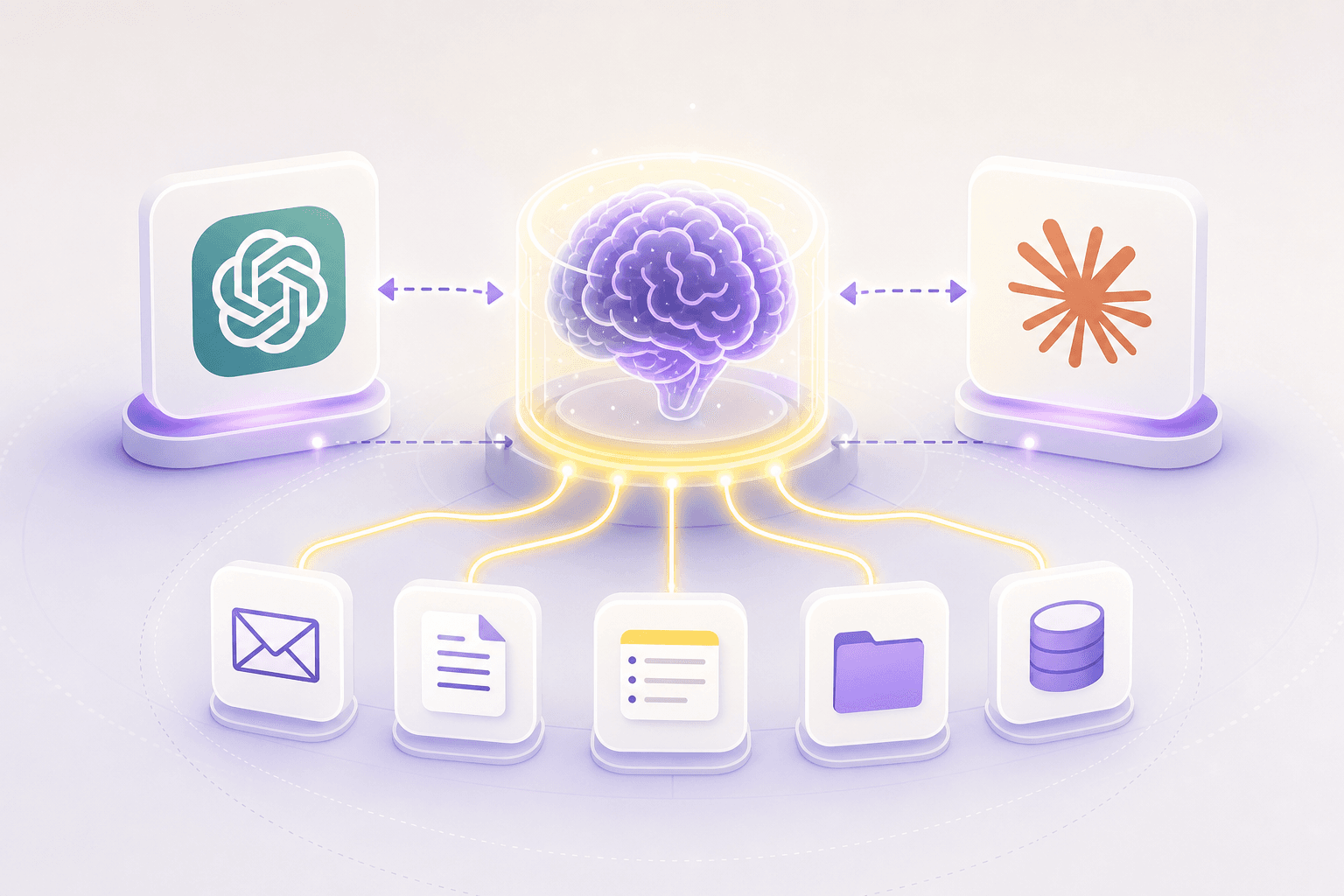
hippocampOS extends the memory available to an AI by connecting to sources where work context already lives, including supported email, notes, meeting records, and files. It organizes that material into a persistent memory graph rather than replacing a model's native memory.
Named brains keep roles and projects separate. A person can create a Work brain, a Personal brain, or a brain for a client, then invoke the relevant scope from Claude, ChatGPT, or another supported MCP client. The goal is to retrieve the relevant slice without exposing every saved context to every conversation.
The source article lists the Spark plan at $5 per month when billed annually, with a 7-day refund guarantee. Google user data is not used to train generalized AI models.
Best for: knowledge workers who use more than one AI client and want external work context to remain portable and scoped.
Comparison table
Swipe horizontally to see every column.
| Tool | Best for | Client reach | Pricing | Key limitation |
|---|---|---|---|---|
| Mem0 | Developer teams | Through an API integration | Free Hobby, $19 Starter, $249 Pro with hosted graph memory | Infrastructure that must be integrated into an application or agent |
| Supermemory | Developers and agent teams | Through plugins, API, and MCP | Free credits, $19 Pro, $100 Max, $399 Scale | Metered developer platform rather than a single end-user workspace |
| Notion AI | Teams inside Notion | Yes, through Notion MCP | AI and connectors require eligible Notion plans | External clients inherit the user's Notion workspace permissions |
| Native ChatGPT or Claude memory | Single-platform users | Each platform keeps its own native memory | Included with eligible plans | Memory and project scopes do not automatically transfer between providers |
| hippocampOS | Solo knowledge workers | Yes, through supported connections | $5/mo for Spark when billed annually | A newer product with an expanding integration set |
The right memory tool depends on where your context lives and whether you need it to move between AI clients.
How to choose
If you are a developer building memory into a product, compare Mem0 and Supermemory as infrastructure. If your durable knowledge already lives in Notion, Notion AI and Notion MCP may cover the context you need. Native memory remains the lowest-friction choice when one AI platform contains most of your work.
If your context is spread across email, meeting notes, and project files, compare ingestion, portability, permission scope, source provenance, and update cadence. Current products overlap more than the original 2025 submission suggested.
That is the specific problem hippocampOS is designed to address. It leaves source material in intentional brain scopes and makes selected context available through supported AI connections.
Sources
- Mem0: AI memory pricingAccessed 2026-09-09
- Mem0: Graph Memory documentationAccessed 2026-09-09
- Supermemory: Pricing and platform capabilitiesAccessed 2026-09-09
- Notion: Notion AI Connectors overviewAccessed 2026-09-09
- Notion: Connect AI tools with Notion MCPAccessed 2026-09-09
- OpenAI: Memory FAQAccessed 2026-09-09
- Anthropic: What are projects?Accessed 2026-09-09
- hippocampOS: PlansAccessed 2026-09-09
- hippocampOS: Privacy StatementAccessed 2026-09-09
Frequently asked questions
Can you give ChatGPT and Claude persistent memory without coding?
Yes. A no-code memory product can connect supported sources and expose relevant context through supported ChatGPT, Claude, or MCP connections without requiring the user to build an API integration.
What is the difference between native memory and a third-party memory tool?
Native memory is controlled by the AI provider and remains tied to its account and workspace controls, even when connected apps extend its sources. A third-party memory layer can maintain its own source model and make selected context available across compatible AI clients.
Does hippocampOS work with both Claude and ChatGPT?
hippocampOS provides supported connection paths for Claude, ChatGPT, Claude Code, and other compatible MCP clients.
Is Mem0 suitable for individual users?
Mem0 has free and paid developer plans plus an open-source SDK. An individual can use it by building or adopting an integration, but a person seeking a no-code knowledge-worker workflow should compare the setup requirements first.
What do named brains mean in hippocampOS?
A brain is a scoped memory space for a role, project, or area of life. Selecting one limits retrieval to that context instead of automatically searching everything a person has saved.
How much does hippocampOS cost?
The source article describes Spark at $5 per month when billed annually, with a 7-day refund guarantee. Check the current Plans page before purchasing.
Does hippocampOS use my data to train AI models?
Google user data is not used to train generalized AI models.