If you have been searching for AI memory apps that can carry work context into Claude or ChatGPT, you may have landed on hippocampOS and Mem. Both now support external AI clients, but they organize knowledge differently. This comparison uses the vendors' current public documentation to explain those differences without pretending either product has stood still.
What each tool is actually trying to do
Mem is an AI-native notes workspace. Its current MCP server lets Claude, ChatGPT, Claude Code, Codex CLI, and Gemini CLI search, read, create, and organize Mem notes and collections. That makes Mem more than a closed note-taking interface: its knowledge can now travel into several external AI clients.
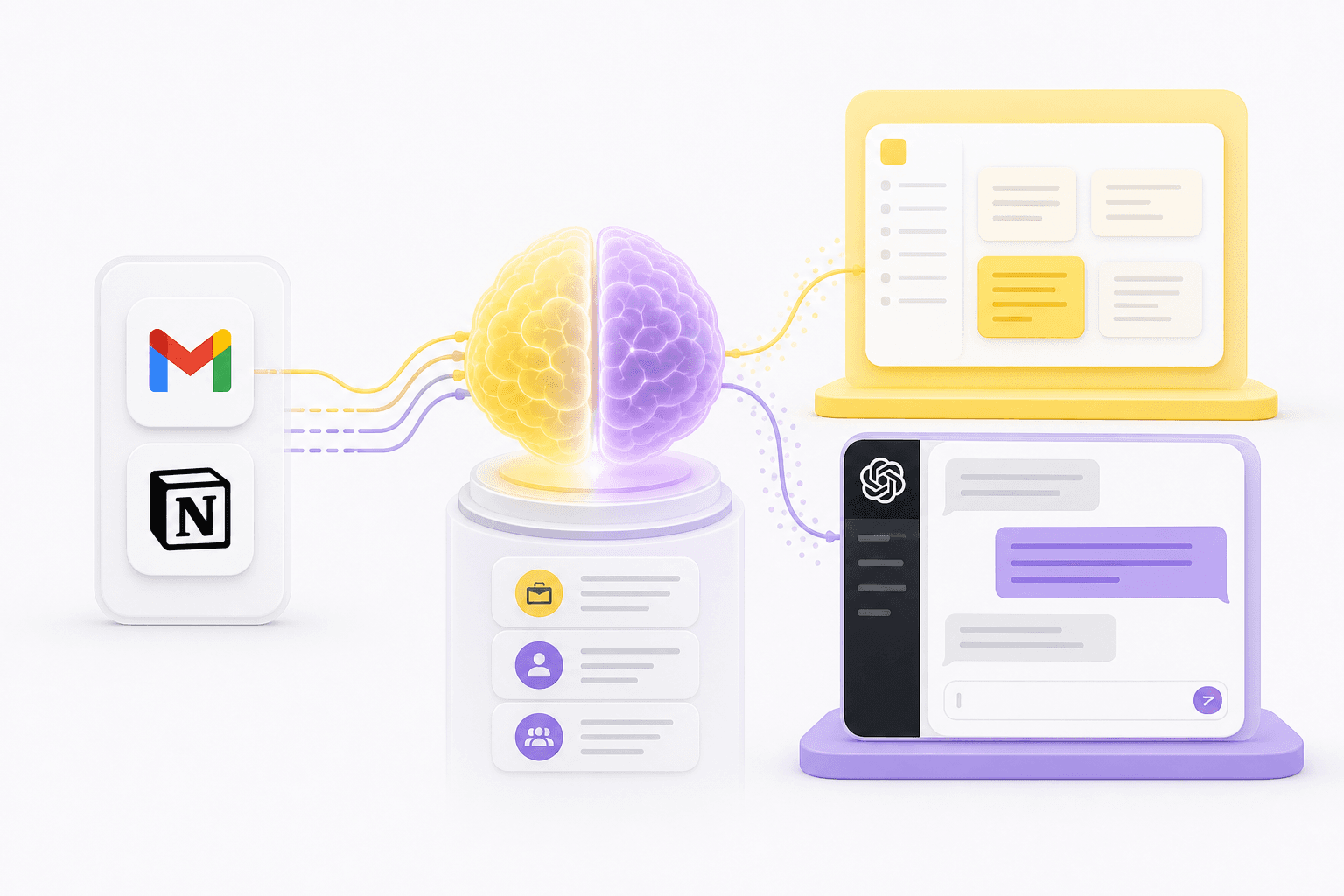
hippocampOS starts from connected work sources. It can bring authorized Gmail, Notion, Granola, meeting, and file content into source-linked memory, organize that memory into named brains, and expose limited brain-listing and search capabilities to supported AI clients.
That architectural difference shapes almost every comparison that follows.
Feature-by-feature comparison
hippocampOS documents direct support for Gmail, Notion, Granola, meeting sources, and file imports. Mem documents connections such as Gmail on eligible plans, email forwarding, Markdown and text imports, and Zapier workflows for other apps. The practical question is not how many logos appear on an integration page, but whether the source you rely on is imported with the depth and freshness you need.
Both products can work with Claude and ChatGPT. Mem's MCP surface can read and write notes and collections. hippocampOS exposes a narrower, read-only MCP surface for listing brains and retrieving scoped memory. That difference matters if you want an AI client to edit a workspace versus retrieve bounded context from it.
hippocampOS uses named brains and source provenance as first-class concepts. Mem's public MCP documentation describes notes and collections. These are different organizational primitives, not evidence that one product lacks organization altogether.
Comparison table
Swipe horizontally to see every column.
| Tool | Best for | Client reach | Pricing | Key limitation |
|---|---|---|---|---|
| hippocampOS | Users of Claude and ChatGPT who want persistent memory from Gmail, Notion, Granola, and local files | Yes - read-only brain listing and memory search | $5/mo billed annually (Spark plan); 7-day refund guarantee | Nightly sync on Spark plan; newer product with an expanding integration set |
| Mem (get.mem.ai) | Users who want an AI-native notes workspace with read and write access from AI clients | Yes - current MCP docs list both Claude and ChatGPT | Free tier; Plus $9/mo; Pro $29/mo; higher-capacity tiers available | External context must first reach Mem through a connection, import, forwarding, API, or automation |
Mem makes notes and collections available to AI clients. hippocampOS makes source-linked, role-scoped brains available to them.
Connecting to Gmail and Notion
The current products do not describe source ingestion in the same way. hippocampOS documents direct, authorized connectors for Gmail and Notion alongside Granola, meeting sources, and file imports.
Mem's current pricing page describes external connections such as Gmail on Pro plans. Its help center also documents forwarding email into Mem, importing Markdown or plain text, and using Zapier to connect other apps. Its current import guide says Word documents and Google Docs must first be exported or copied to Markdown or plain text; buyers should verify the exact path they plan to use for Notion before assuming a direct sync.
Once content is in Mem, its MCP server can make notes and collections available inside Claude and ChatGPT. Once content is in hippocampOS, a user can invoke a named brain so the client retrieves from that selected scope.
One important note on Gmail data: hippocampOS does not use your Google user data to train generalized AI models.
Named brains and role separation
This is one of the clearest structural differences between the two products.
hippocampOS lets you create named brains for different roles or projects. The MCP client receives only the brain-listing and memory-search capabilities the user approves, and retrieval remains inside the brain or Master Brain the user invokes.
Mem organizes knowledge as notes and collections. Its MCP tool surface can search, create, update, trash, restore, and organize that content. Collections can separate material, but they are not presented in Mem's public documentation as the same brain-scoped retrieval contract used by hippocampOS.
For consultants, freelancers, or anyone managing multiple clients, compare the authorization and retrieval boundary itself. A label in the interface is less important than which material the connected AI client can actually search or change.
Injecting memory into Claude and ChatGPT
Mem's current documentation explicitly supports Claude and ChatGPT through its hosted MCP server. The setup uses OAuth, and the available tools can search and read knowledge as well as create, update, and organize notes and collections.
hippocampOS also supports Claude and ChatGPT through MCP, but its published privacy statement describes a deliberately limited read-only surface: list brains and search memory under the approved scopes.
This makes the comparison more useful than the old claim that only one product works with external AI. Choose based on the data model, source connections, permissions, and whether the AI client should be allowed to write back into the memory workspace.
Neither product replaces the AI client's own native memory. Each supplies additional context under its own connection and authorization model.
Sync cadence: what to expect
On the Spark plan, hippocampOS syncs nightly. If you add something to Notion at 9am and open a brain at 10am, that update won't be in the graph yet. The Synapse and Cortex plans offer on-demand sync, which closes that gap.
Mem's public plan table describes Connections as external sources it can use for context, while its email and import documentation describes several paths that are user-triggered. Because freshness can vary by source and plan, verify the specific connection you intend to use rather than assuming every source is continuously synchronized.
For either product, test the slowest acceptable workflow before buying. A nightly refresh may be fine for long-running project context, while a just-finished meeting or a newly received email may require an on-demand or event-driven path.
Pricing and getting started
The Spark plan starts at $5 per month billed annually, making hippocampOS one of the most accessible entry points for a structured AI memory layer. There's also a 7-day refund guarantee if it doesn't fit your workflow.
Mem currently lists a Free tier, Plus at $9 per month, Pro at $29 per month, and higher-capacity tiers. Connections begin on Pro in the current comparison table, so compare the plan that includes the source workflow you need rather than comparing only the lowest displayed price.
If you want a source-linked, read-only memory layer for Claude or ChatGPT, hippocampOS is the more direct fit. If you want an AI-native notes workspace that an external AI client can also read from and write to, Mem is worth evaluating on its own terms.
Which one should you choose?
Choose Mem if you want an AI-native notes workspace whose content can also be searched and managed from supported external AI clients.
Choose hippocampOS if you want to keep using Claude or ChatGPT and give them source-linked memory from Gmail, Notion, Granola, meeting sources, and files, especially if you want retrieval separated into named brains.
The two tools overlap more than older comparisons suggest. Both now connect to external AI clients. The durable differences are how knowledge enters the product, how it is organized, and what the connected client is authorized to do.
The Spark plan is $5/month billed annually at hippocampos.io.
Sources
- hippocampOS: PlansAccessed 2026-09-09
- hippocampOS: Privacy StatementAccessed 2026-09-09
- Mem: Mem pricing and plan comparisonAccessed 2026-09-09
- Mem: Mem MCP overviewAccessed 2026-09-09
- Mem: Mem MCP setup for Claude and ChatGPTAccessed 2026-09-09
- Mem: Mem MCP supported toolsAccessed 2026-09-09
- Mem: Email to MemAccessed 2026-09-09
- Mem: Importing notes into MemAccessed 2026-09-09
- Mem: Connecting Mem through ZapierAccessed 2026-09-09
Frequently asked questions
Does hippocampOS work with both Claude and ChatGPT?
Yes. hippocampOS injects memory context directly into both Claude and ChatGPT. It does not claim compatibility with other LLMs beyond those two.
Can Mem provide context to Claude or ChatGPT?
Yes. Mem's current MCP documentation lists both Claude and ChatGPT, along with Claude Code, Codex CLI, and Gemini CLI.
Does hippocampOS use my Gmail data to train AI models?
No. hippocampOS does not use your Google user data to train generalized AI models.
What's the difference between hippocampOS named brains and Mem collections?
Named brains are retrieval scopes exposed through hippocampOS's limited read-only MCP surface. Mem collections organize notes, and Mem's broader MCP surface can search and manage both notes and collections. Review the effective tool permissions, not only the labels.
How often does hippocampOS sync with Gmail and Notion?
On the Spark plan, sync runs nightly. On Synapse and Cortex plans, sync is on-demand, so you can pull in the latest information whenever you need it.
Does hippocampOS replace Claude or ChatGPT's built-in memory?
No. hippocampOS extends the native memory of Claude and ChatGPT by injecting structured, source-tracked context from your connected tools. It works alongside native memory, not instead of it.
What does the Spark plan cost, and is there a trial?
The Spark plan starts at $5 per month billed annually. hippocampOS offers a 7-day refund guarantee if the product doesn't meet your needs.